Sunday, June 22, 2014

Flexible and Accessible

The second principle of UDL, which is flexibility in use, is being applied in computer operating systems. This is benefiting students with disabilities because it is giving them a choice on how they want to use their computer. Now you can choose between the mouse or the keyboard to control the computer. Using the keyboard instead of the mouse provides easier access for students who have trouble controlling the mouse such as students with fine motor control difficulties.


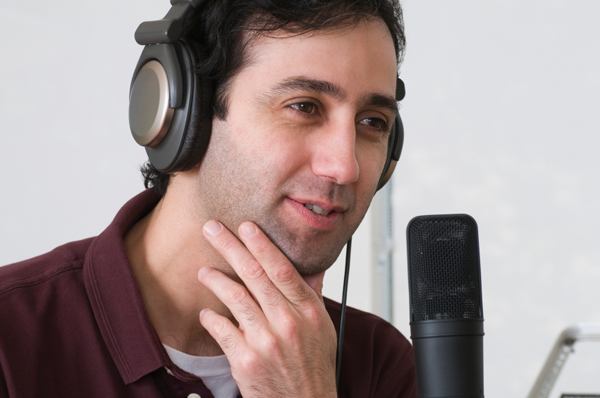
Computers can also be operated by your voice with a feature called speech recognition. This feature allows students to speak commands into a microphone and have the actions executed. Students who have vision impairments or issues with motor control can benefit from this option greatly. If you have a Mac the user can choose how the information is being presented. Text to speech reads aloud text that has a key sequence pressed and is highlighted. This is a great tool for students with reading disabilities. This information has helped me learn that there isn't a correct way to operate a computer and just like many other facet's of an individual's life it can be tailored to their specific needs. 


Reference Below
Dell, A., Newtown, D., & Petroff, J. (2012). Assistive Technology in the Classroom. 
Upper Saddle River, NJ. Pearson Education Inc. 

Pictures Found At  
 http://www.bbc.co.uk/accessibility/images/guides/keyboard_mouse/computer/keyboard_mouse_diagram_smallest.gif

 http://blogs.voices.com/voxdaily/podcaster-thinking-smiling-headphones-microphone.jpg


Wednesday, June 18, 2014

Internet Technology a Liberating Instrument

  As I mentioned in my last post, there are  numerous obstacles for individuals who are hard of hearing in the classroom, and communication is certainly one of them. Prior to advancements in computer technology, interactions outside of the classroom were very challenging for individuals who are deaf or hard of hearing.  "An important part of learning often involves interacting with teachers and fellow students outside of class" (Dell et al. 2012).

Internet technology is liberating for these individuals because it makes a mode of communication that does not rely on speaking or hearing accessible. This gives individuals an equal opportunity to express their thoughts as well as be active participants in discussions. Web based applications such as email or instant messaging help alleviate social barriers.

Text messaging is also an alternative for communicating that can give people a sense of empowerment. They can have a device at all times that promotes communicative independence and emancipates them from relying on others. Moving forward I will try and incorporate online discussions in the classroom to help students express their thoughts more freely.


Refrence Below

Dell, A., Newtown, D., & Petroff, J. (2012). Assistive Technology in the Classroom. 
Upper Saddle River, NJ. Pearson Education Inc. 

Picture found at
http://blog.searchbug.com/wp-content/uploads/2013/02/marketing-list-text-messages.jpg

Tuesday, June 17, 2014

Obstacles for Students Hard of Hearing

As I embark on the 2nd module I will continue to reflect and revisit the UDL framework as I continue my journey through assistive technology in communication and computer access. 

Individuals who are hard of hearing face many obstacles in a typical classroom that can impede on their learning and be discouraging. These students may struggle to follow oral lectures, have a hard time when the teacher turns their back if the student is lip reading, and experience difficulty with class discussions or video presentations.

There are many things ranging in complexity a teacher can do to alleviate some of these obstacles in the classroom. A teacher may have the student sit in the front, be mindful a student is lipreading and not turn their back, and use subtitles when possible during discussions. "For people who cannot hear speech or people who cannot express themselves through speech, technology offers an exciting range of solutions"(Dell et al. 2012).

Communication should be something UDL principles are applied to to make  the most accessible for all students. With advancements in technology this is made more feasible for individuals who are hard of hearing. Cochlear implants can be a viable option, and are miniature electronic devices surgically placed in the inner ear to improve useful hearing. 


 Resource Below
  
Dell, A., Newtown, D., & Petroff, J. (2012). Assistive Technology in the Classroom. Upper Saddle River, NJ. Pearson Education Inc. 


Picture found at
http://blog.lib.umn.edu/farre212/f11psy1001ds1415/Cochlear%20Implant.jpg


Tuesday, June 10, 2014

UDL Reflections

UDL was just another acronym to me up until a few weeks ago.and I had a very vague understanding of what it was. I have learned that just like many other facets of life, learning is individualized and idiosyncratic. Straying from a one size fits all approach and incorporating UDL is the only way to meet the needs of every student.

The CAST website has some very helpful tools and resources that are teacher friendly and will aid you in the process of differentiating you lessons to make them more flexible and accessible to all students.  Here are some of my favorite resources that helped acclimate me to UDL and its applications.


http://www.CAST.org- This website is a good place to start because it gives you a better understanding of what UDL is and why it is necessary.


http://www.cast.org/teachingeverystudent/- There are some fun activities here and one in particular that has you pick an activity, identify the background skills and interests of individuals, and identify strengths and challenges of individuals. This helps you understand what each individual brings to the table, recognize individual strengths and challenges, and that students do not fall into broad categories.

 http://www.udlcenter.org/implementation/examples- This is useful in selecting examples and resources that show each of the UDL checkpoints. This gives teachers ways to implement UDL, and all products listed are free.

http://www.cast.org/teachingeverystudent/tools/classprofiletutorial.cfm-This is a useful tutorial that shows how to create a learning profile by considering each individual student with respect to the three brain networks. 


http://www.cast.org/teachingeverystudent/toolkits/tk_introduction.cfm?tk_id=21- Here is a toolkit that helps with planning for all learners. It applies UDL to planning and developing curricula in ways that access, participation, and progress for all learners. 

Now knowing about all the helpful tools and resources that are available and free, I will utilize them moving forward.  I will frequent the UDL principles for different ways and examples to implement UDL in the classroom across all three networks. 

Resources Below 
 
http://www.CAST.org
 http://www.cast.org/teachingeverystudent/
  http://www.udlcenter.org/implementation/examples
 http://www.cast.org/teachingeverystudent/tools/classprofiletutorial.cfm
 http://www.cast.org/teachingeverystudent/toolkits/tk_introduction.cfm?tk_id=21

 Pictures found at


Barriers in the Classroom

After finishing a tutorial on the CAST website, I am more cognizant of hidden barriers for learners as well as barriers in curriculum. It never occurred to me until after this exercise that things like missed opportunities and lack of engagement are barriers.

I then started to ponder about some of the barriers the students that I work with are facing and modifications that could be made to address everyone's individual needs. One lesson our students had  to complete was Correctly identifying community signs. Students were taught through direct instruction a half hour a day for a week common signs in the community, and then were tested to measure retention of the material.

One student despite his affinity for trucks was not making any progress and would often get up during direct instruction sometimes taking 10 minutes for him to get back to the task at hand. This tutorial helped me learn that incorporating the student's interest in trucks and applying it to signs like the stop sign  may keep him engaged and aid  him in acquiring the content.

This information informed me of hidden barriers for students that I was not even aware of. Moving forward I will pay more attention especially to students level of engagement. 

   
Reference Below
 
Pictures found at
http://www.rehabnz.co.nz/media-barriers/mu_1.gif   
 http://www.stephenlifecoach.com/wp-content/uploads/2014/06/barrier.jpg
http://upload.wikimedia.org/wikipedia/en/6/69/Stop_sign%28standard%29.svg


Sunday, June 8, 2014

UDL Applications

Once I explored the Cast website, I gained a better understanding of how challenges in the classroom can be turned into learning experiences that enhances the learning process for all.

In a time where students are more diverse than ever, and with an increasing emphasis on learning standards, teachers have a greater  responsibility. 

I like how they said on the website that the barriers lay in our teaching methods and curriculum, essentially placing the responsibility of a student's success or failure on the teacher. 

Traditional classroom materials  are one size fits all, but digital technologies can adjust to learner differences and give  accurate measures of student achievement. 


Technology is easily applicable to accommodate by transforming the curriculum and capitalizing on a learner's strengths to promote success.  

I found how the learning brain activity works very insightful, because it demonstrated all brain networks are working when you do something as simple as view an image.


In the school I work at all students make a daily schedule. Some type it, some are hand-written, and others use picture icons. Until now I didn't realize this was UDL. 

Picture found at
https://blogger.googleusercontent.com/img/b/R29vZ2xl/AVvXsEibBJ9QVfVS1T8GISTldZC2SPvTcNSYTkkF0b_3IHWurvpedYo-58Eq7G9AAKQfP61Dr6uyPTJOYFqwhvDgjmjBlPWsbT6tIR3A38_9ZRxKcJoMW18KPKoH3rlcXO3exzUvGug6y42rkfo/s1600/VETC+PPT.jpg

Reference Below 
 http://www.cast.org/teachingeverystudent/

Tuesday, June 3, 2014

UDL Networks

As aforementioned there are three core principles in UDL used to create curriculum which grants equal opportunities for all involved to learn.

 You can present the information differently by providing visuals with the material, and giving information in the dominant language for learners with English as a second language. A helpful tool is Readability which is a free app that removes clutter and distractions from the internet to make reading easier and more enjoyable.

There are multiple ways for students to express content such as using different modalities for communication, and capitalizing on social media to make material more interactive. A great way for individuals with disabilities to use a computer is camera mouse. This is a free program where you control the mouse by moving your head.


 One's motivation for learning can vary from another, so it is imperative to provide multiple means of such. Some examples would be to let the student pick their reward, and differ the degree of difficulty within core activities among students. Exploring language is a tool that allows learners to select the level that is most suitable for them to learn about language through poetry and song.

I now know that there are many free and innovative tools and programs to help create a curriculum that is the most accessible to all. I will definitely be using the free app readability moving forward with my students to make reading some material less aversive and distracting. 


Pictures found at
 http://cdn3.sbnation.com/entry_photo_images/2718117/readability-logo_large_verge_medium_landscape.jpg
 http://www.cameramouse.org/media/images/showcase_03.jpg
http://sd.keepcalm-o-matic.co.uk/i/keep-calm-and-write-poetry-11.png

Reference Below
 http://www.cast.org/udl/